Class Reference barcodeModule
A Module to generate different kinds of barcodes. More...
Member
| void | addBarcode(string text) |
| string | data |
| void | placeBarcode(point p1,point p2) |
| double | ratio |
| void | setCode128() |
| void | setCode128A() |
| void | setCode128B() |
| void | setCode128C() |
| void | setCode39() |
| void | setCode39Mod43() |
| void | setDatamatrix() |
| void | setMicroQrCode() |
| void | setQrCode() |
Detailed Description
Barcodes are generated through layout->barcodeTool, a barcodeModule, and are added to the current cell on the activeLayer. First choose an encoding such as setCode128, setCode39, setDatamatrix or setQrCode; some codes ignore characters they cannot encode. Then enter two points with layout->drawing->point so addBarcode knows the rectangle, or set the data property and call placeBarcode with two point corners. ratio is the wide-to-narrow bar ratio for codes that allow it; changing the encoding resets ratio to its default. The example below places a Code 128 symbol; Data Matrix, Micro-QR and QR each have a picture under their set method.
Example:
layout->barcodeTool->setCode128();
layout->drawing->point(1400,-800);
layout->drawing->point(8800,-3300);
layout->barcodeTool->addBarcode("LayoutEditor");
That call produces this barcode:

Member Function Documentation
void barcodeModule::addBarcode(string text)
Adds a barcode with payload text to the current cell on the activeLayer. Enter the two corners first with layout->drawing->point. Characters the current encoding cannot represent are ignored.
string barcodeModule::data
Payload used by placeBarcode. Set this before you call placeBarcode.
void barcodeModule::placeBarcode(point p1,point p2)
Places a barcode in the rectangle from p1 to p2 using the data property instead of addBarcode.
double barcodeModule::ratio
Wide-to-narrow bar ratio for encodings that allow it. Set ratio after the encoding. Changing the encoding restores the default.
void barcodeModule::setCode128()
Uses Code 128 and picks subset A, B or C to match the text.
void barcodeModule::setCode128A()
Uses Code 128A: capital letters, digits and most special characters, including newline and return.
void barcodeModule::setCode128B()
Uses Code 128B: letters, digits and some special characters, not newline or return.
void barcodeModule::setCode128C()
Uses Code 128C: digits only.
void barcodeModule::setCode39()
Uses Code 39: 42 characters (capitals, digits and a few specials). Each character is nine bars or spaces with three wide.
void barcodeModule::setCode39Mod43()
Uses Code 39 with a Mod 43 checksum byte at the end.
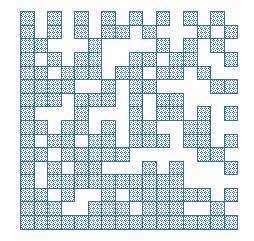
void barcodeModule::setDatamatrix()
Sets the barcode encoding to datamatrix (ISO16022). The entered text will be ASCII encoded to the datamatrix.
These special phrases are available:
| entered text | Codeword | Meaning |
|---|---|---|
| <FNC1> | 232 | Function 1 Symbol Character (FNC1) |
| <GS> | 29 | Field/Group Separator |
Intended use of these special phrases is to enter GS1 DataMatrix ECC200 code, which is an open system for automatic identification. (e.g.
Datametrix Example:
void barcodeModule::setMicroQrCode()
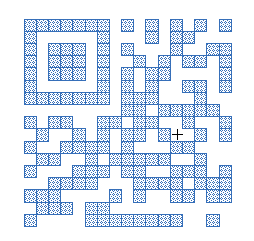
Sets the barcode encoding to mirco QR-code. The entered text will be stored as 8 bit unicode data. The maximum length is 15 character.
Micro-QR Example:
void barcodeModule::setQrCode()
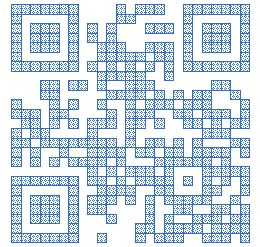
Sets the barcode encoding to QR-code (ISO18004). The entered text will be stored as 8 bit unicode data.
QR Example:
© 2026 juspertor GmbH