Scripting
Basically, two types of scripting must be distinguished: access and editing of the layout that is currently open in the user interface, and access and editing independent of any graphical user integration. The LayoutEditor enables both kinds of scripting:
- LayoutEditor / C++-Script is the built-in scripting interface. With macro-recording you can easily get started without learning the programming interface. You have full access to the design data as well as all features to modify it. You can also adjust the graphical user interface of the LayoutEditor. All modifications you do with macros will immediately be displayed in the opened LayoutEditor window. However, it is also possible to start a macro without a user interface and use it for automatic design processing. From a macro external tools can be executed and results be accessed.
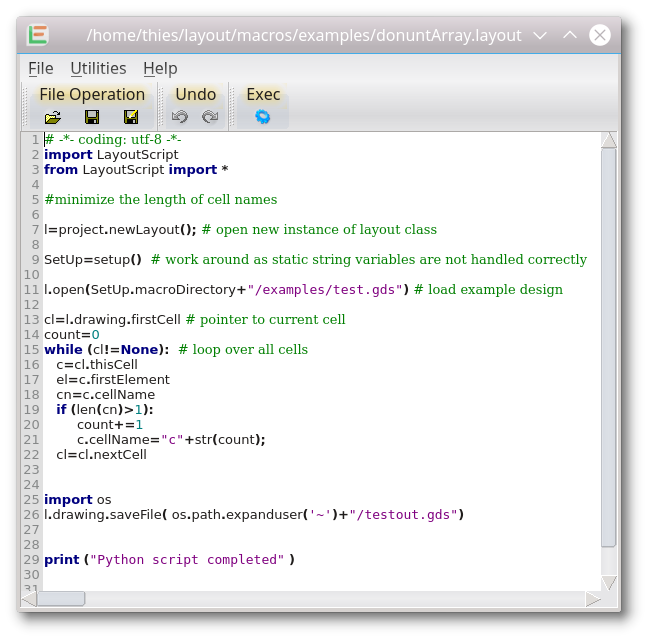
- Scripting in Python provides the same Application Programming Interface (API) as C++ macros. Starting with LayoutEditor version 20260628, Python scripts can run in-process inside the LayoutEditor: changes appear immediately in the open layout or schematic window, just like with a C++ macro. Alternatively, Python can still run in a separate process (the classic LayoutScript mode) for batch processing without a graphical connection to the application.
Both types of scripting can be triggered from the built-in TextEditor. No further setup is required.
Scripting is available in the full version of the LayoutEditor. With the free version without a license key, storing to some file formats is limited to small designs.
© 2026 juspertor GmbH