Cell Tools
The Cell Tools provides a comprehensive set of functions dedicated to managing the internal structure and library organization of a design. These features share a common goal of providing precise control over the design hierarchy and database efficiency, allowing users to manipulate the relationships between cell references and maintain a clean, high-performance project structure without altering the intended physical layout. All here listed tools are located under Utilities > Cell Tools
Set Cell Origin
If you select all elements of a cell and move them, you will effectively move the cell origin. This will also change the location where this cell is referred. With this feature, you can move the origin without changing the resulting design. All references of this adjustment will be adjusted correspondingly.
Relink Cell References
The referred cell of all selected references is changed to a new cell. The effect will be identical to changing the referred cell with the Properties tool for any select cell reference.
Copy Current Cell
The Copy Current Cell tool creates a duplicate of the active cell and adds it to the design library under a new name, by adding a _copy. If a copy already exists, a number is added to the cell name. This allows you to create variations of a design or save a backup of a specific cell within the same project without affecting the original version.
Extract Current Cell
The Extract Current Cell tool flattens the hierarchy of your active design by converting all sub-cells into simple shapes within a single cell. It removes all internal cell references and deletes unused cells from the library, creating a simple, one cell structure that is easy to export or share. The resulting design will then contain a single cell with shapes and no more cell references.
Strip Unneeded
The Strip Unneeded function within the Cell Tools menu is a library optimization utility designed to prune the design database by removing all cells that are not part of the active currently displayed cell's hierarchy. When this tool is activated, it performs a dependency analysis starting from the currently open cell, identifying every sub-cell that is directly or indirectly referenced. Any cell existing in the library that is not found within this specific hierarchical tree is permanently deleted. This feature is particularly useful for cleaning up large project files, reducing memory usage, and ensuring that exported designs contain only the relevant building blocks required for the selected top-level cell, effectively isolating a specific design branch from a larger library. After calling this feature, the current visible cell will be the only top-level cell in the design.
Strip Empty Cells
The Strip Empty Cells feature in the Cell Tools menu is a dedicated cleaning utility designed to optimize the design database by identifying and removing any cells that do not contain at least one shape. Beyond simply deleting these vacant cell definitions from the library, the tool also automatically purges all references and instances pointing to these empty cells throughout the entire design hierarchy. This operation is performed in a way that ensures the final physical layout remains completely unaffected, as only non-contributing structural elements are targeted. By utilizing this function, designers can effectively reduce file sizes and simplify the cell list, making large-scale projects more manageable and ensuring that the hierarchical structure contains only relevant, content-bearing blocks prior to export or manufacturing.
Compare Cells
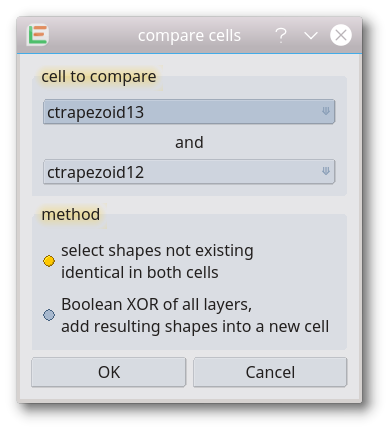
Two cells of a current design are compared. Any differences between the two cells are marked. There are two methods to mark the differences:
- Method select non-identical shapes: Any non-identical shapes between two cells are selected, all other elements will be deselected
- Method Boolean XOR: a Boolean XOR will be performed between all layers of both cells. The resulting polygons will be added to a new cell. If the resulting cell is empty it means that there are no differences between the cells.
Add Hierarchy
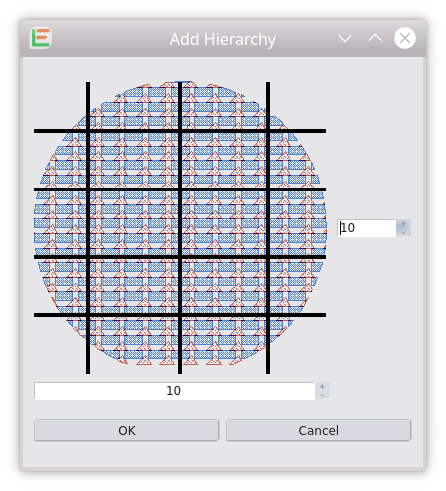
Adds an additional hierarchy level in the currently displayed cell by moving its elements into new created subcells. nx times ny subcells will be created. All elements overlapping the checkerboard will be moved into the subcell. The resulting design is not changed. (introduced with release 20220129)
© 2026 juspertor GmbH